A Raw Syslog Forwarder (RSF) collects logs from different sources and forwards the raw messages to a remote server. The RawSyslogForwarder API allows you to configure and manage raw syslof forwarders and target devices via Director Console API.
Follow the steps mentioned below to forward raw messages from a LogPoint via Director Console API:
Execute the RawSyslogForwarder - CreateTarget API in the Director Console API.
Execute the RawSyslogForwarder - ListTarget API to obtain the value of the id parameter.
Execute the RawSyslogForwarder - Create API with the required parameters.
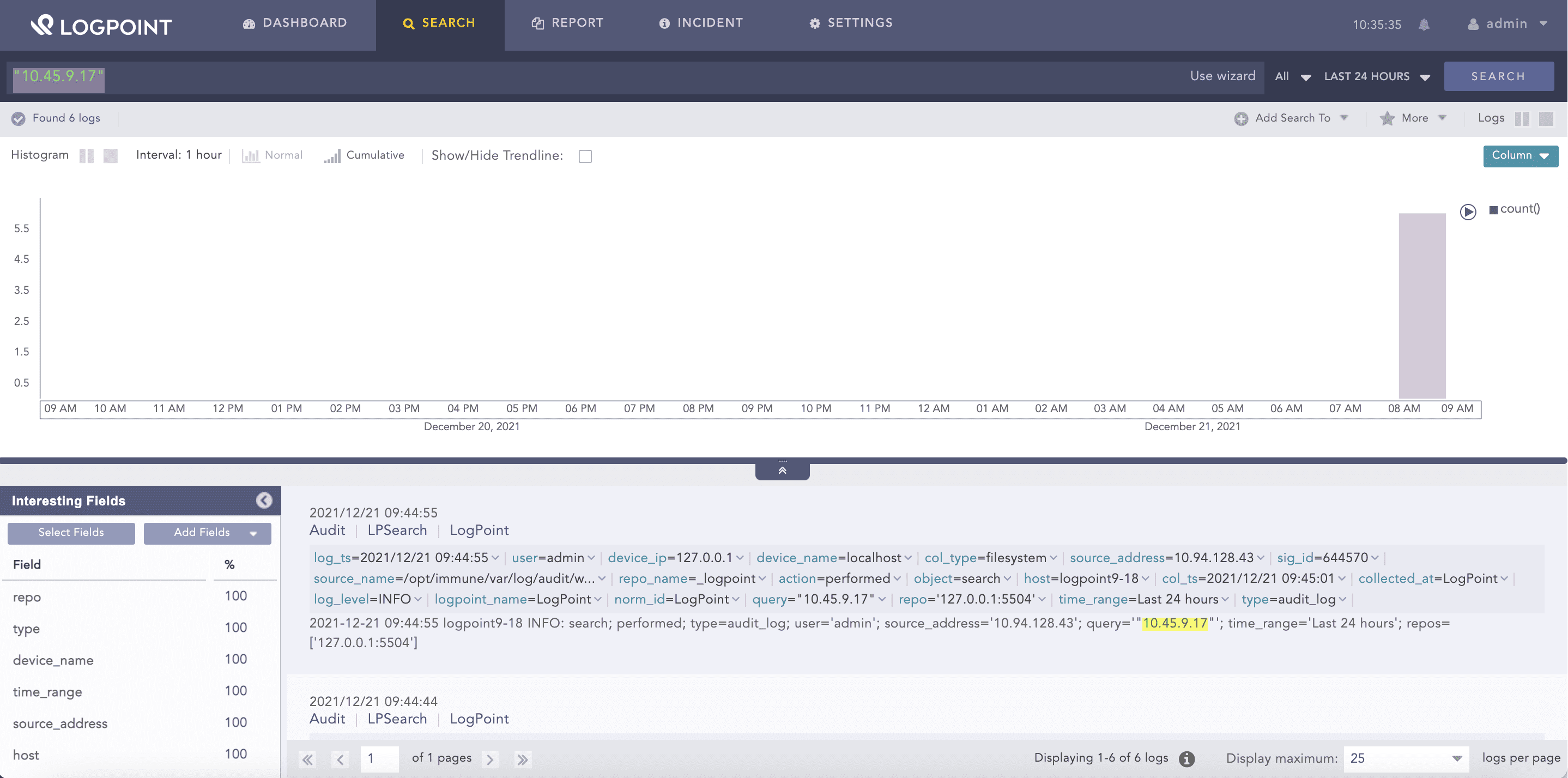
View the forwarded logs in the target device.
Execute the RawSyslogForwarder - CreateTarget API in the Director Console API.
Config API:

POST
https://api-server-host-name/configapi/{pool_UUID}/{logpoint_identifier}/RawSyslogForwarder/Target

    {
        "data": {
            "ip": "10.45.9.18",
            "enable_udp": "on",
            "name": "target_1",
            "port": 514
        }
    }

Response:

{
"status": "Success",
"message": "monitorapi/v1/336294dbd0f141ce86cb925bca74133a/41b5b7fffa6c4e3cb6bc6d799a5ee6e5/orders/71c23e11-a25b-4688-a88d-275e14251d6c"
}

Monitoring API:

GET
https://api-server-host-name/monitorapi/v1/336294dbd0f141ce86cb925bca74133a/41b5b7fffa6c4e3cb6bc6d799a5ee6e5/orders/71c23e11-a25b-4688-a88d-275e14251d6c

Response:

    {
        "request": {},
        "logpoint_identifier": "ea92ab66cae24e4e9fe22189468056f8",
        "pool_uuid": "a068f9a59fbc424db87f59ad1f4de86d",
        "response": {
            "success": true,
            "message": "Syslog Remote Target Added."
        }
    }
Execute the RawSyslogForwarder - ListTarget API to obtain the value of the id parameter.
Config API:

GET
https://api-server-host-name/configapi/{pool_UUID}/{logpoint_identifier}/RawSyslogForwarder/Target

    [
        {
            "id": "5c32c078f419a4aa901be3dc",
            "name": "target_1",
            "ip": "10.45.3.91",
            "port": "514",
            "enable_udp": "on",
            "tid": ""
        }
    ]
Execute the RawSyslogForwarder - Create API with the required parameters.
Config API:

POST
https://api-server-host-name/configapi/{pool_UUID}/{logpoint_identifier}/RawSyslogForwarder

    {
        "data": {
            "device_config": [
            {
                "device_group": "5bebdb29d8aaa42840edc862",
                "include_all_devices": true
            }
        }],
            "remote_syslog_collectors": ["61c1a03a8ab013cc7246bedb"],
            "pattern": "[ 0-9 ]+"
        }
    }

Response:

{
    "status": "Success",
    "message": "monitorapi/v1/336294dbd0f141ce86cb925bca74133a/3324b10a5bbb4a51891860b50cf7b6b9/orders/741c2f01-915f-495a-8c2b-2c4735bfb9b7"
}

Monitoring API:

GET


https://api-server-host-name/monitorapi/v1/336294dbd0f141ce86cb925bca74133a/3324b10a5bbb4a51891860b50cf7b6b9/orders/741c2f01-915f-495a-8c2b-2c4735bfb9b7

    {
        "request": {},
        "logpoint_identifier": "ea92ab66cae24e4e9fe22189468056f8",
        "pool_uuid": "a068f9a59fbc424db87f59ad1f4de86d",
        "response": {
        "success": true,
        "message": "Raw Syslog Forwarder created"
        }
    }